
Media
Welcome screen


test
35%
5.4%
2%
The Process
Assessing Discovery & Learnability
I started off partnering with the Data team to ground the problem in real customer behaviour
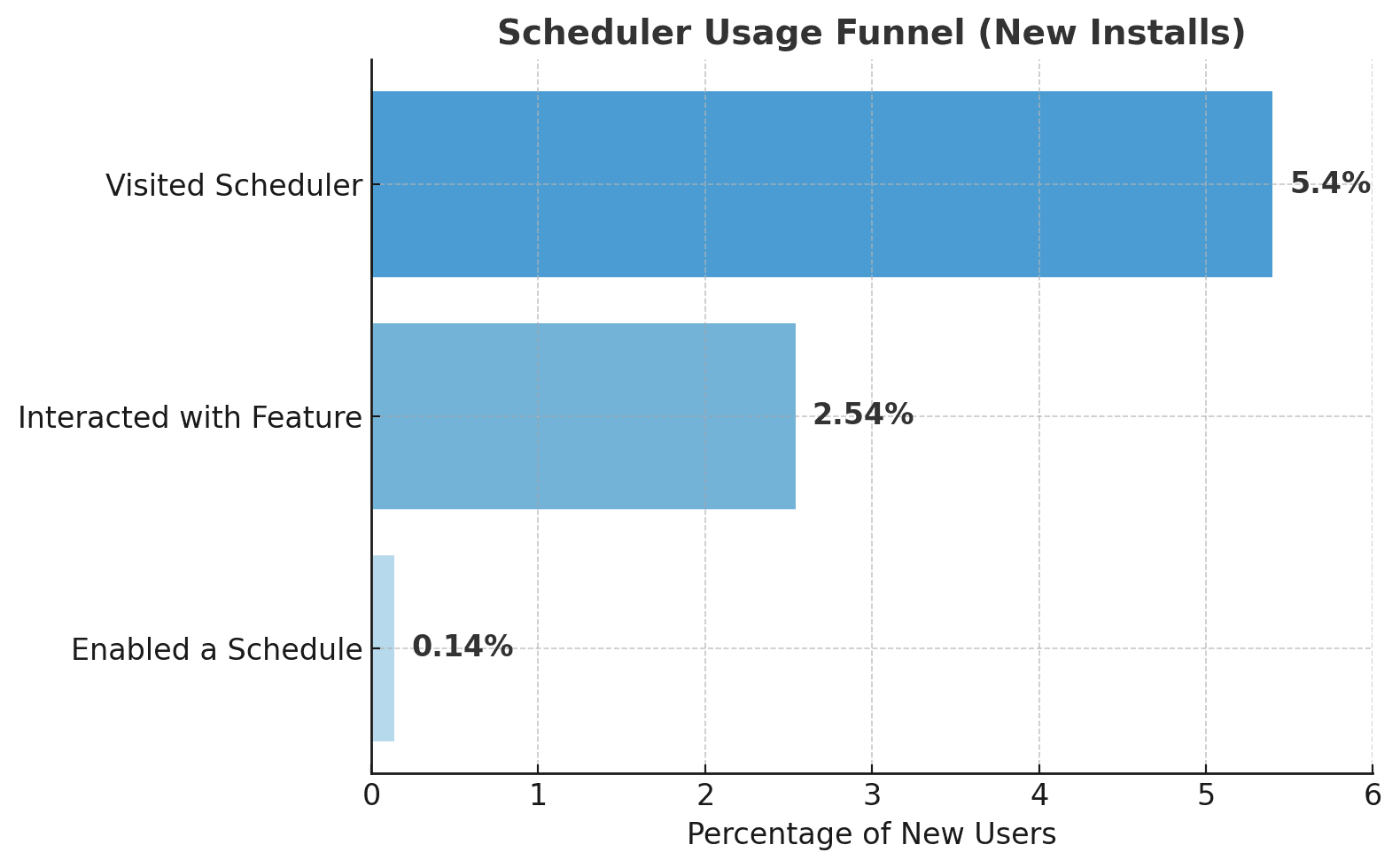
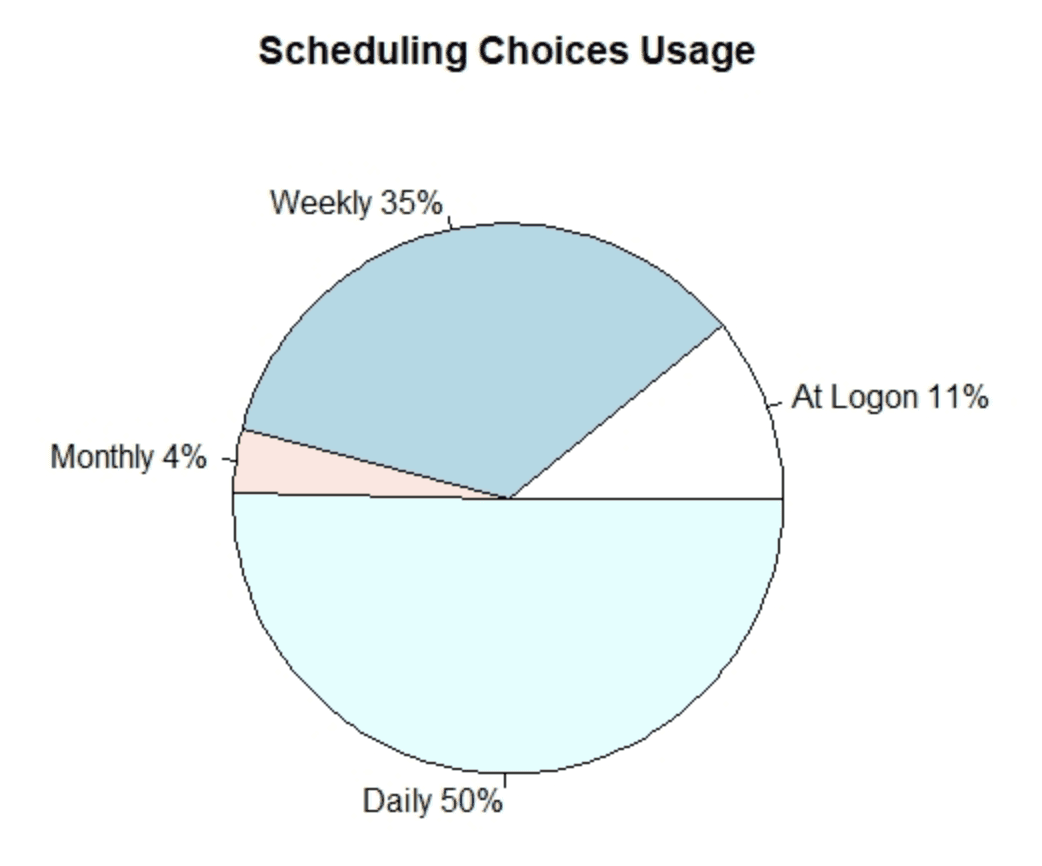
🔍Data insights
• Discovery and engagement with the Scheduler were extremely low, with the steepest drop-off between visiting the feature and enabling a schedule
• Users strongly favored short-term scheduling i.e. Daily and Weekly
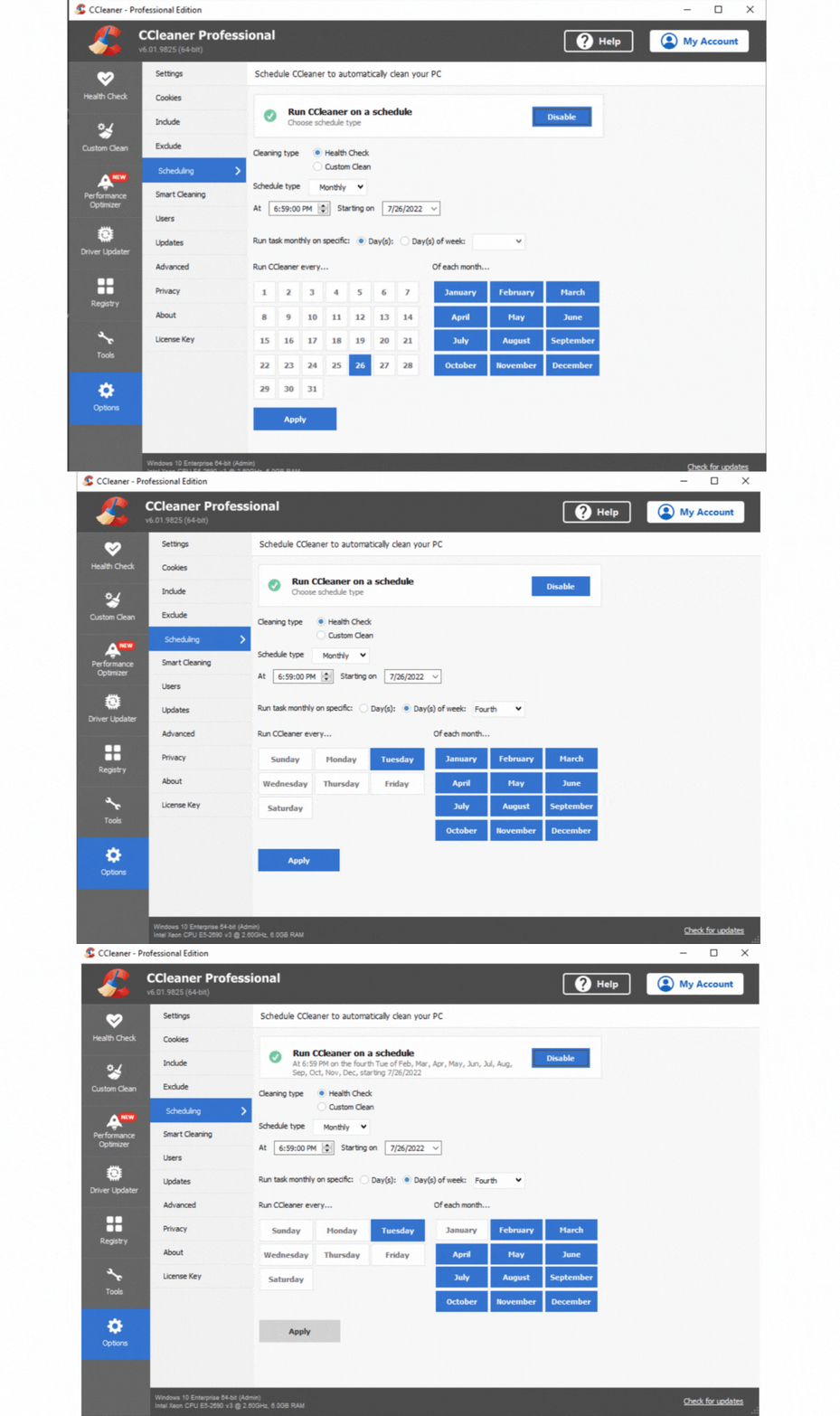
I then conducted a cognitive walkthrough to assess the feature’s learnability from a new user’s perspective.
The Scheduler home page immediately felt overwhelming.
Setting a monthly schedule (before redesign)
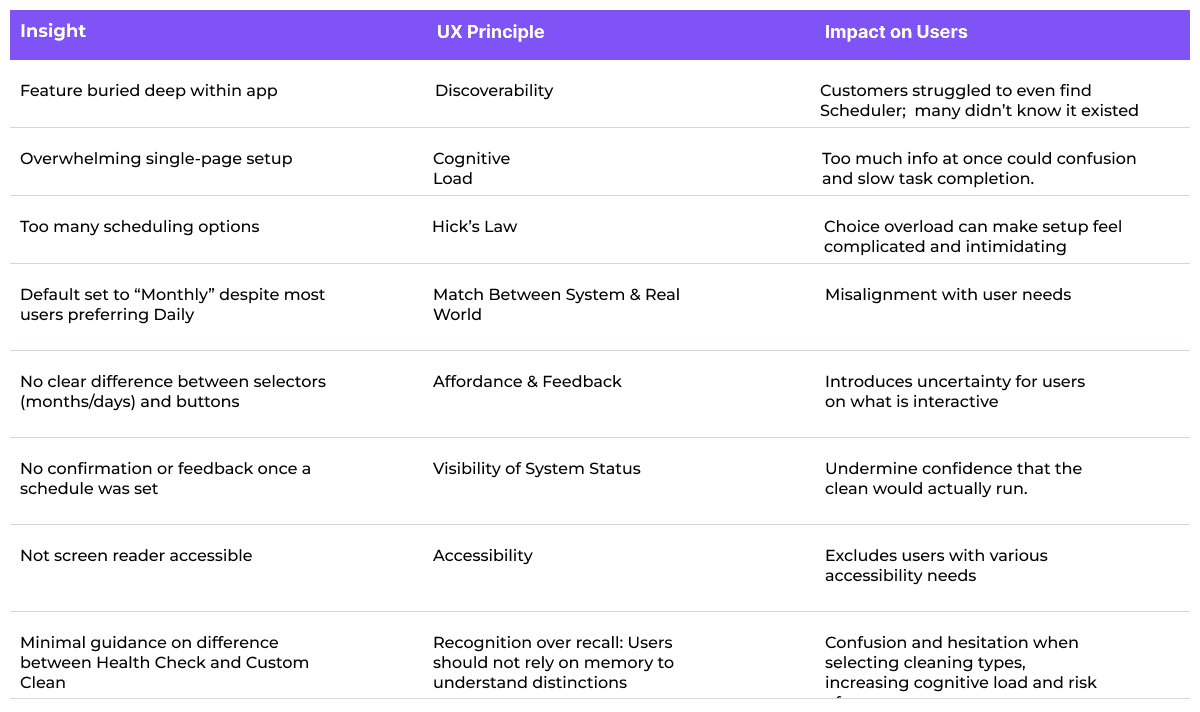
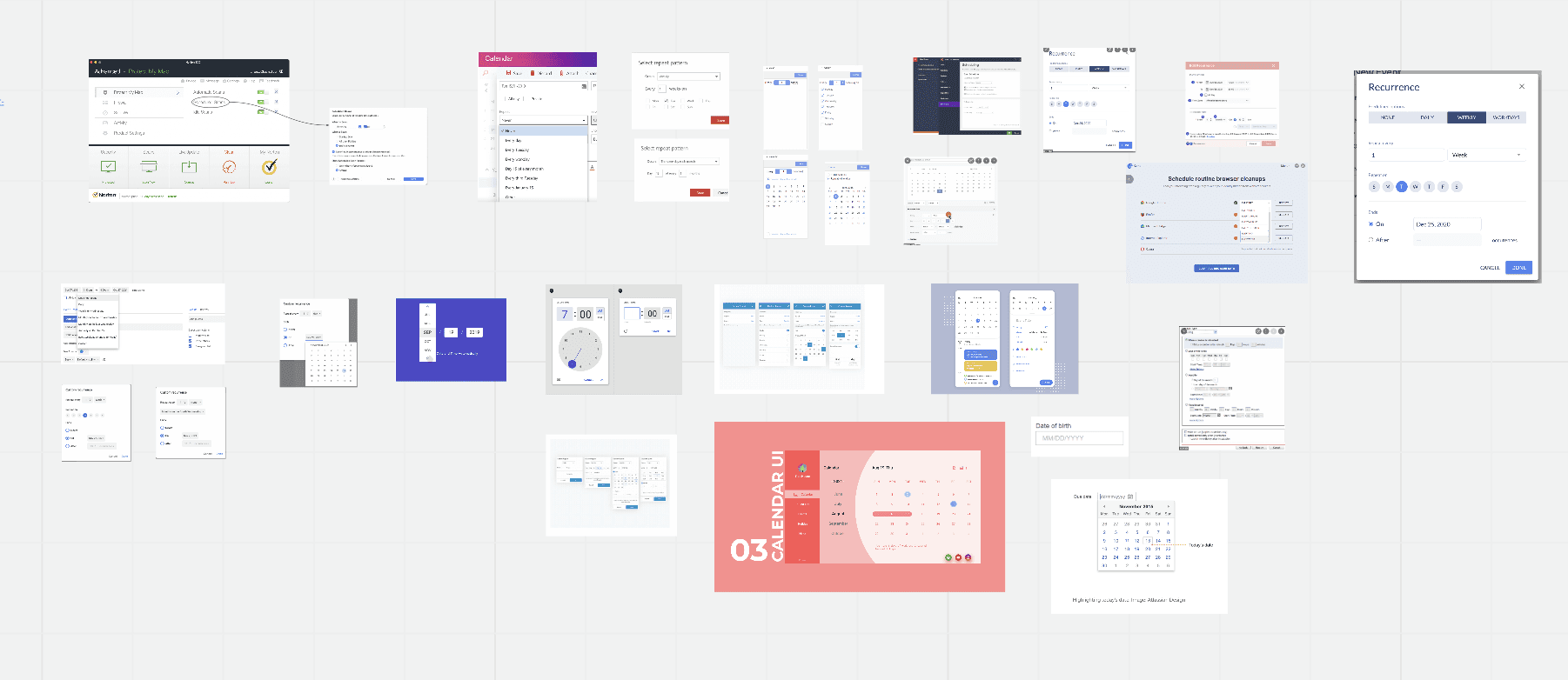
I conducted desk research into scheduling patterns across products and best practices, and invited the project team to share apps they use personally; broadening our inspiration pool
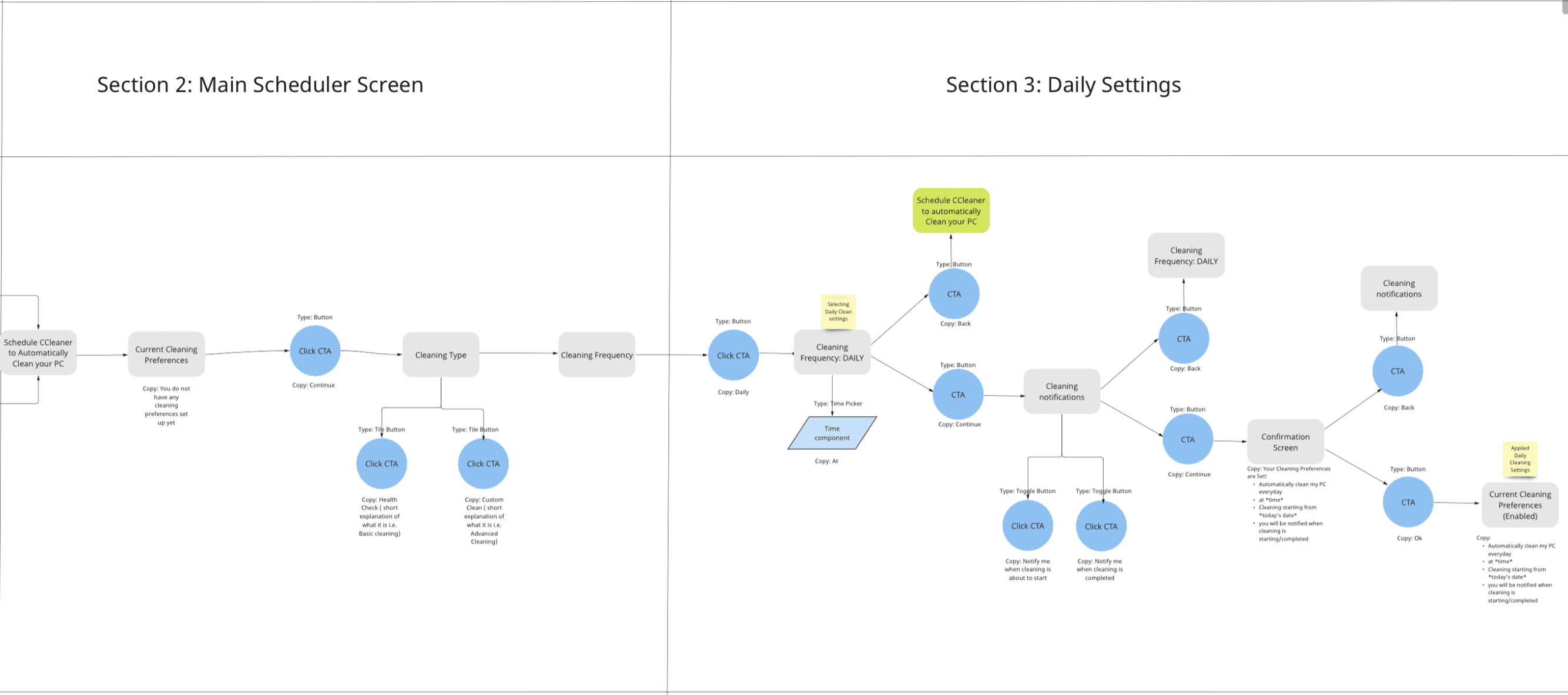
Close up of Daily Cleaning flow
Setting a Daily Cleaning schedule (Axure Wireframe)
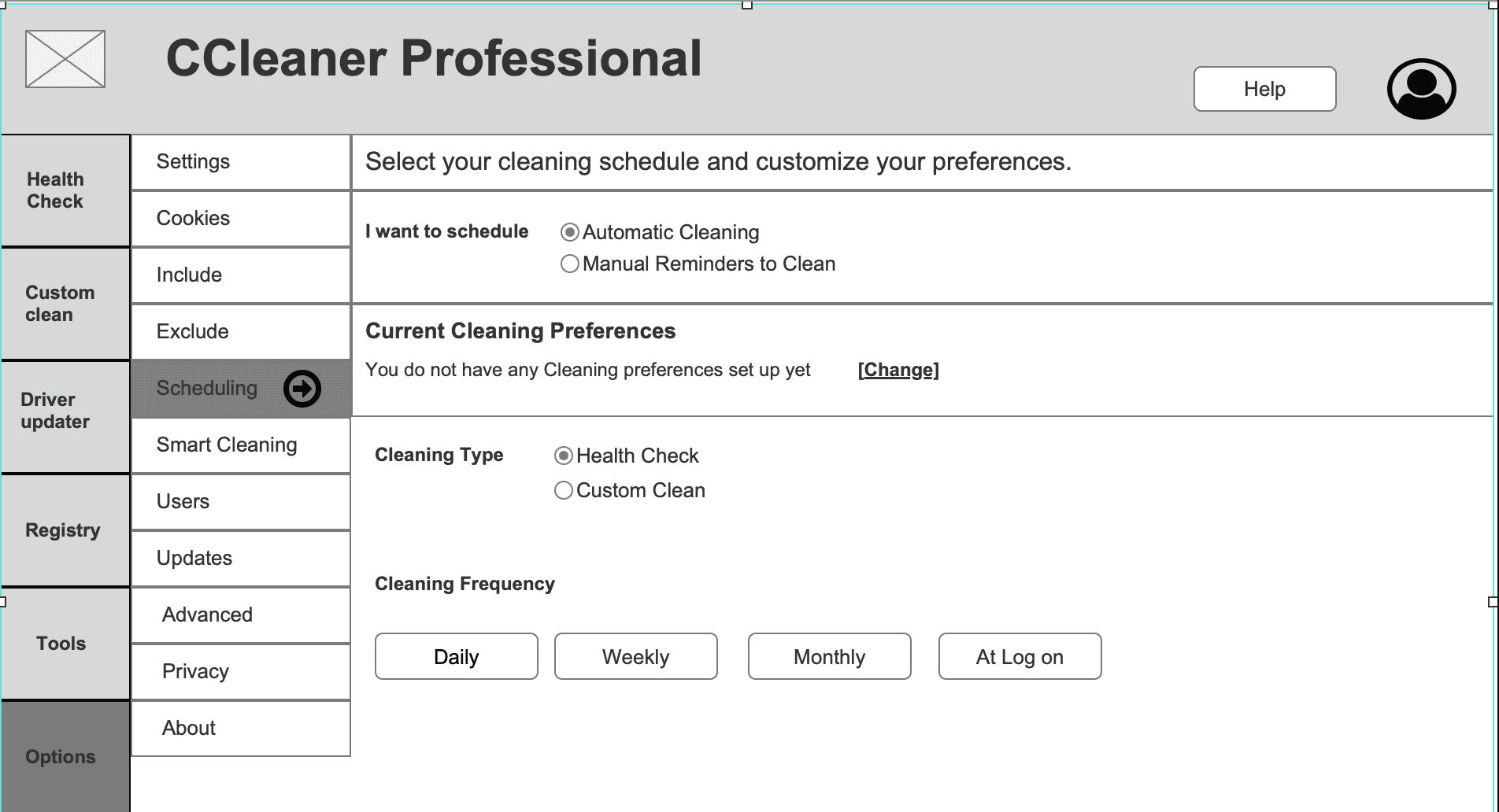
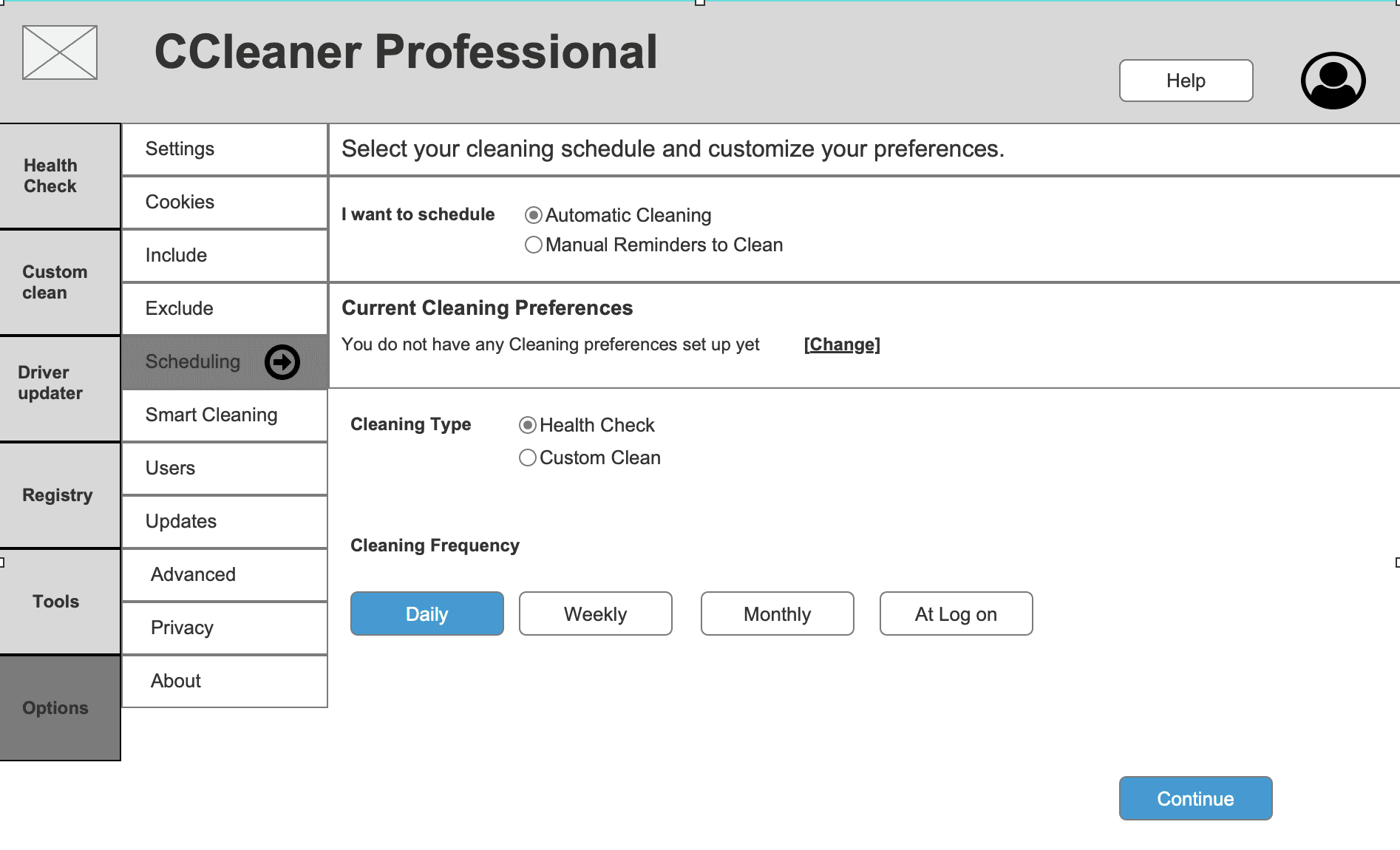
Testing feedback (1st round)
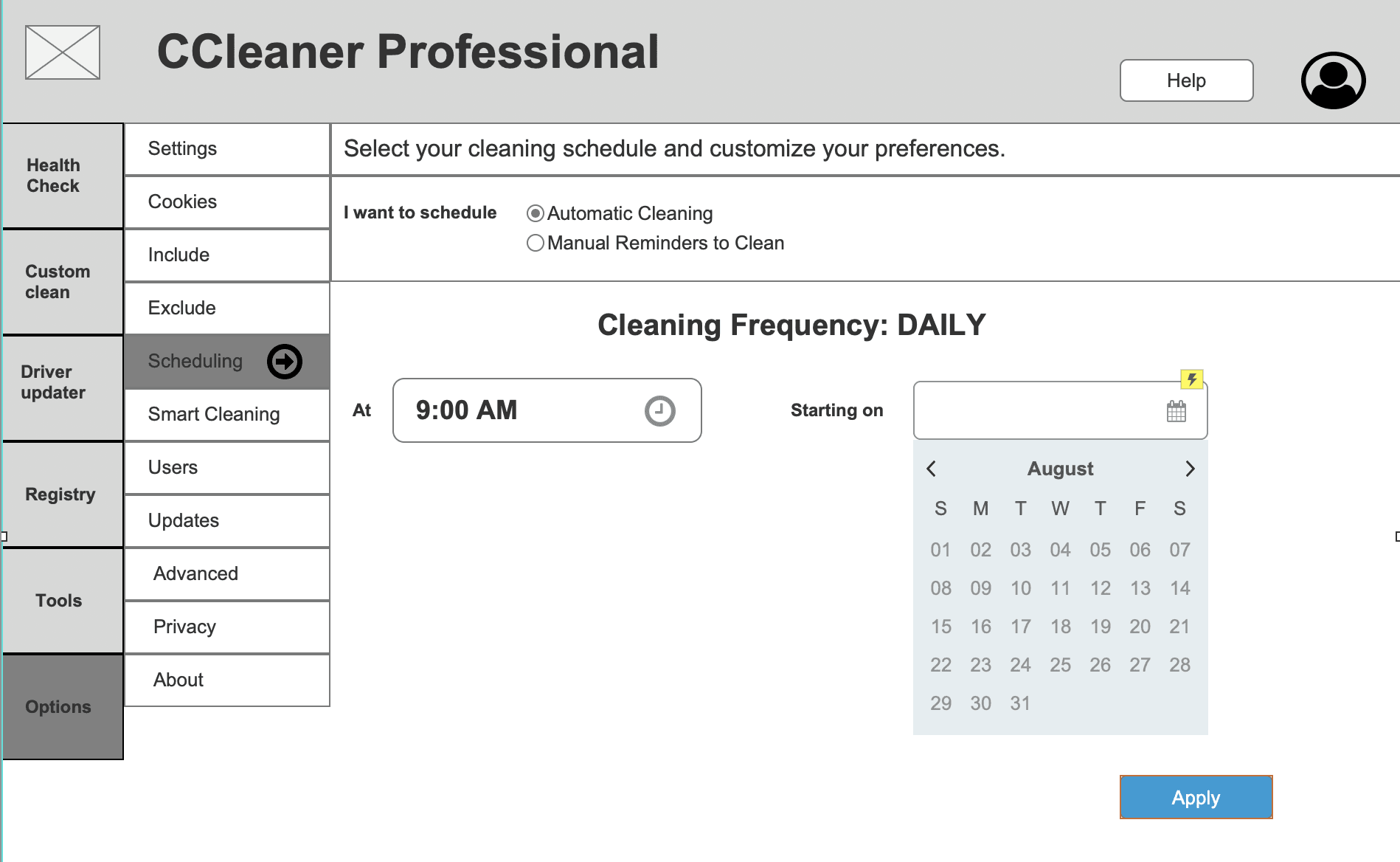
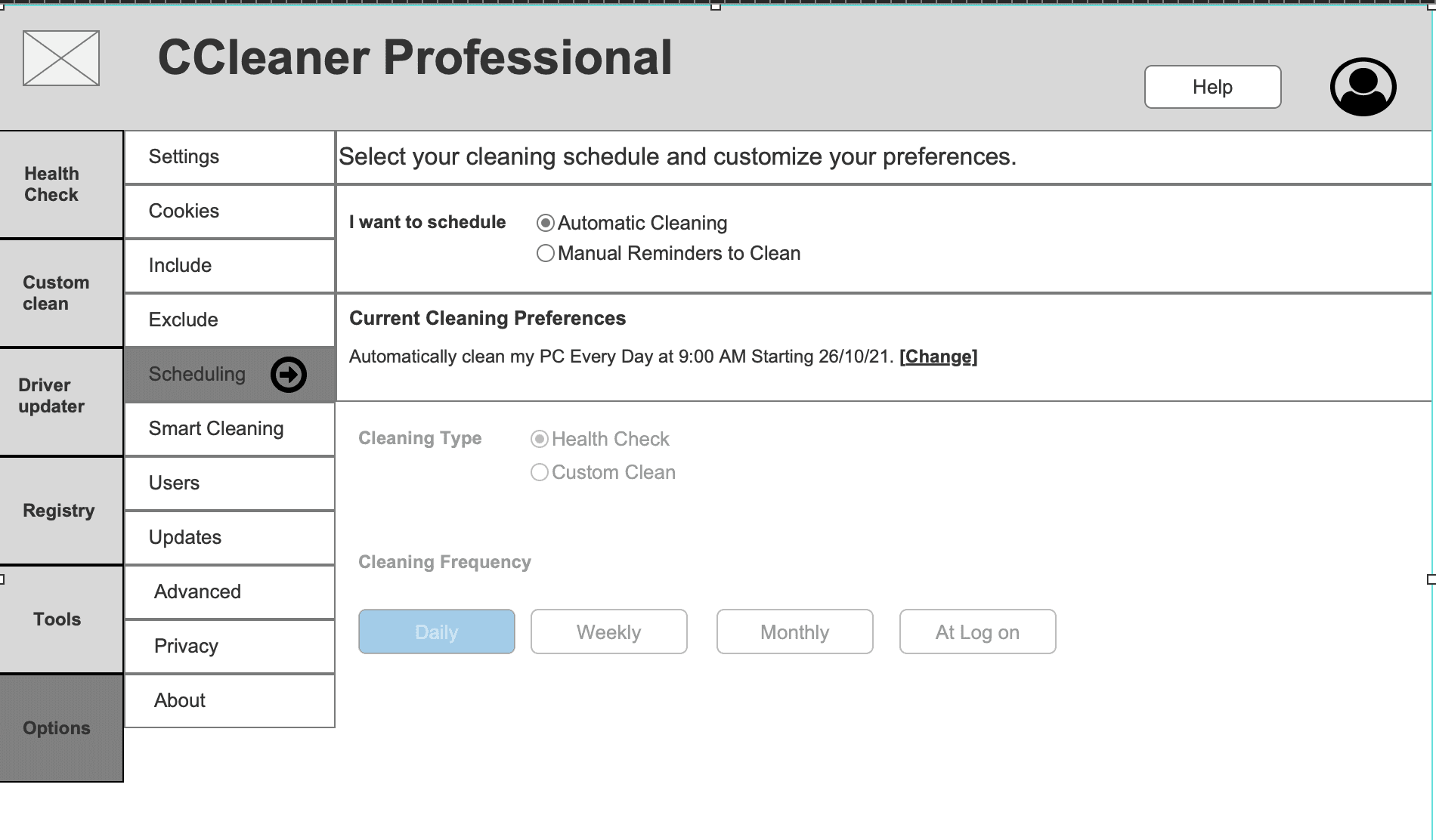
💡Although the flow was seen as easy once understood, the entry experience lacked clarity and feedback, undermining confidence and leading to very low task completion.
✅ Positives
• Participants reported setup felt easy and accessible once they moved past initial confusion.
⚠️ Painpoints
• Only 12% of participants could complete the steps needed to set up a cleaning schedule (in this case Daily).
• Confusing first screen: caused friction before moving forward.
• Stronger confirmation needed: users weren’t sure if their schedule had saved.
• Returning to the same screen after setup created uncertainty about success.
I shared these insights with Product and Design leadership, framing them as an opportunity to future-proof the experience. This helped secure alignment on rescoping the project to enable a more scalable and innovative solution
Reminders: Setting a Daily Clean
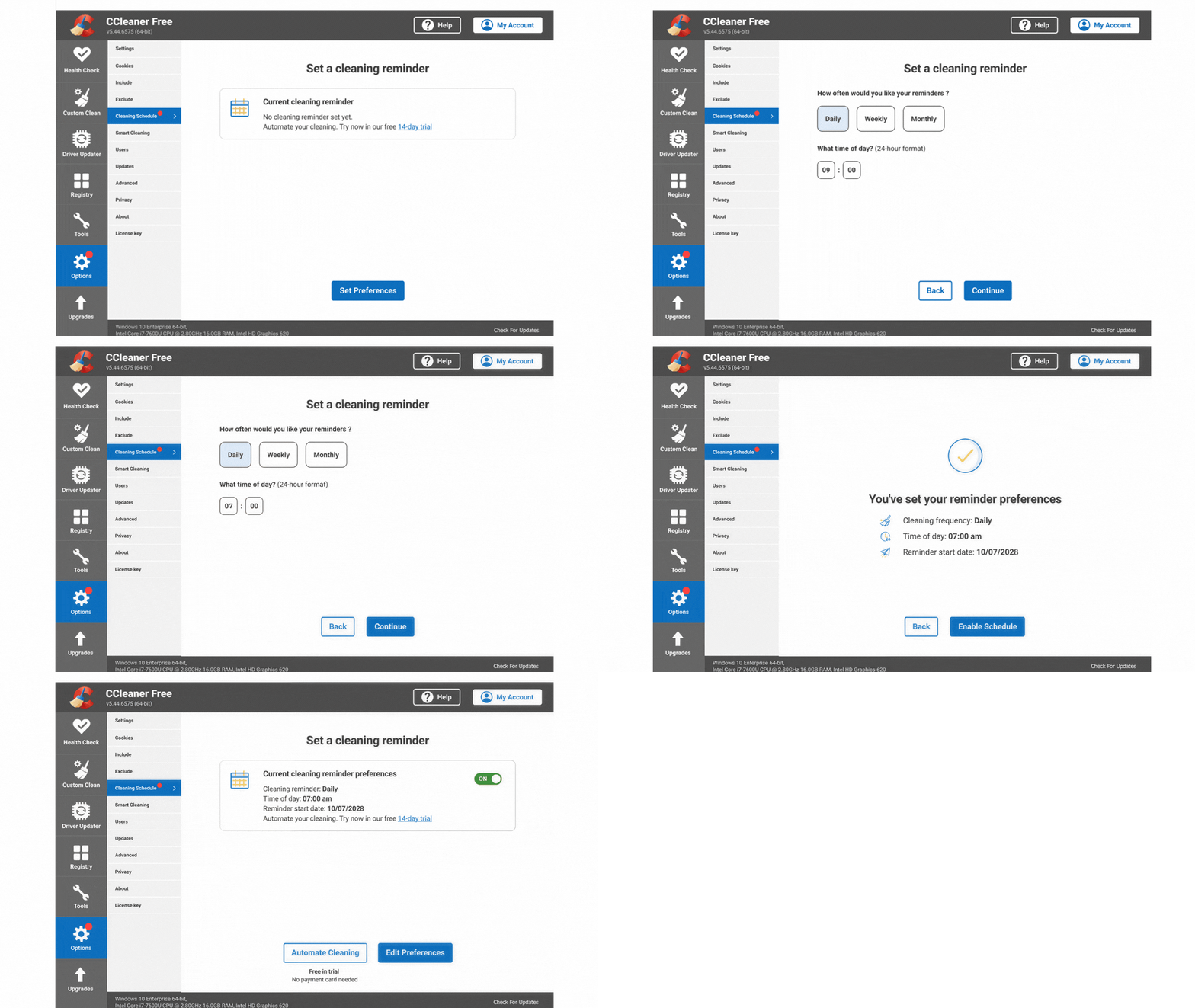
1st round feedback: Confusing first screen - caused friction before moving forward.
✅ Action
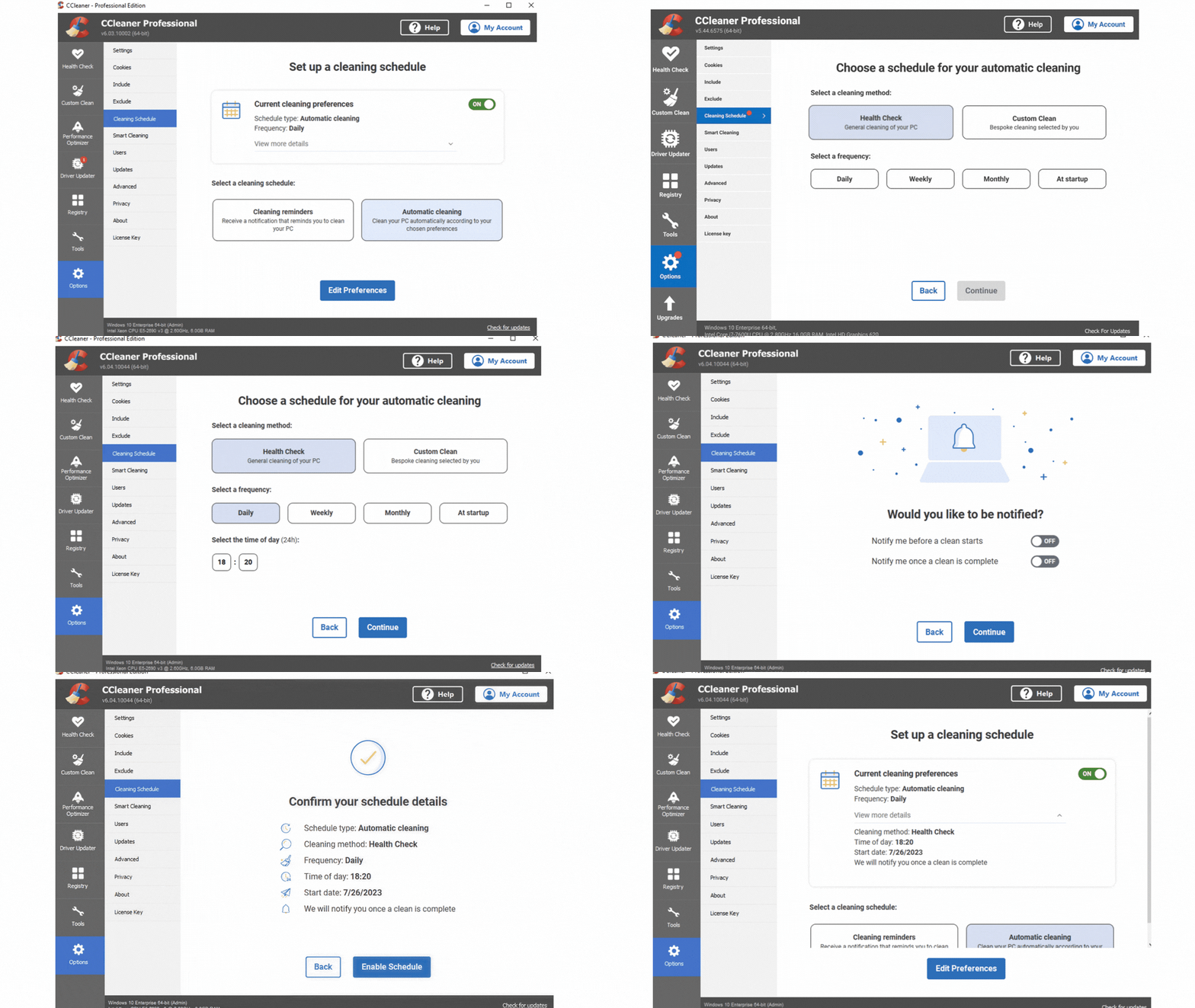
• Streamlined the homepage to focus solely on confirming and editing cleaning preferences, reducing cognitive load and improving clarity.
1st round feedback: Stronger confirmation needed - users weren’t sure if their schedule had saved.
✅ Action
• Introduced a confirmation state after schedule setup, providing clear feedback that the schedule was saved successfully and reducing user uncertainty.
Unifying Features
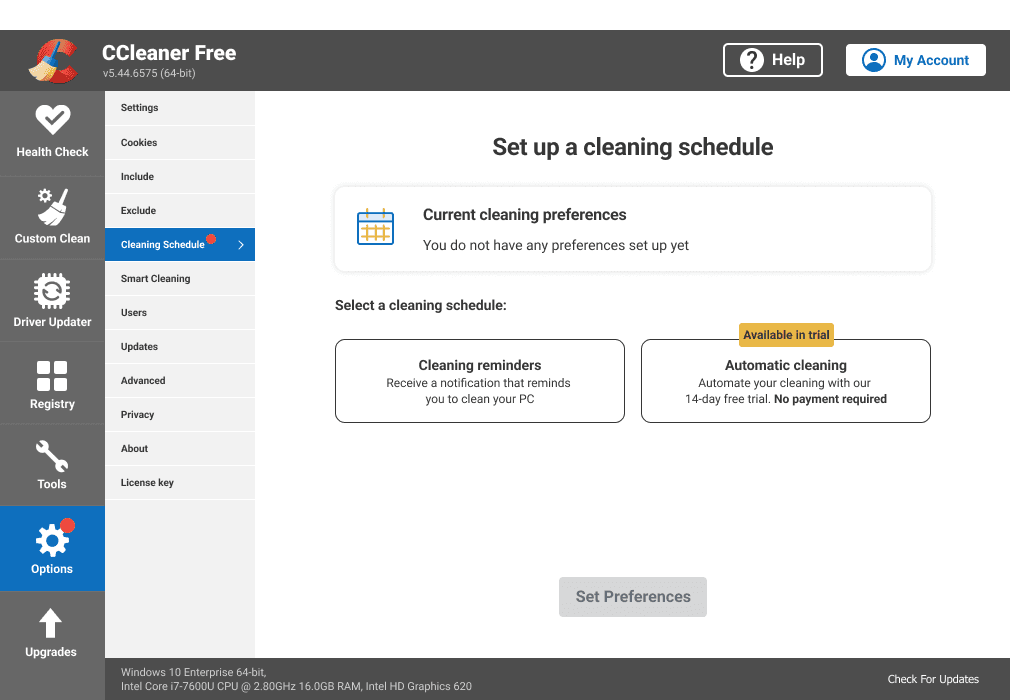
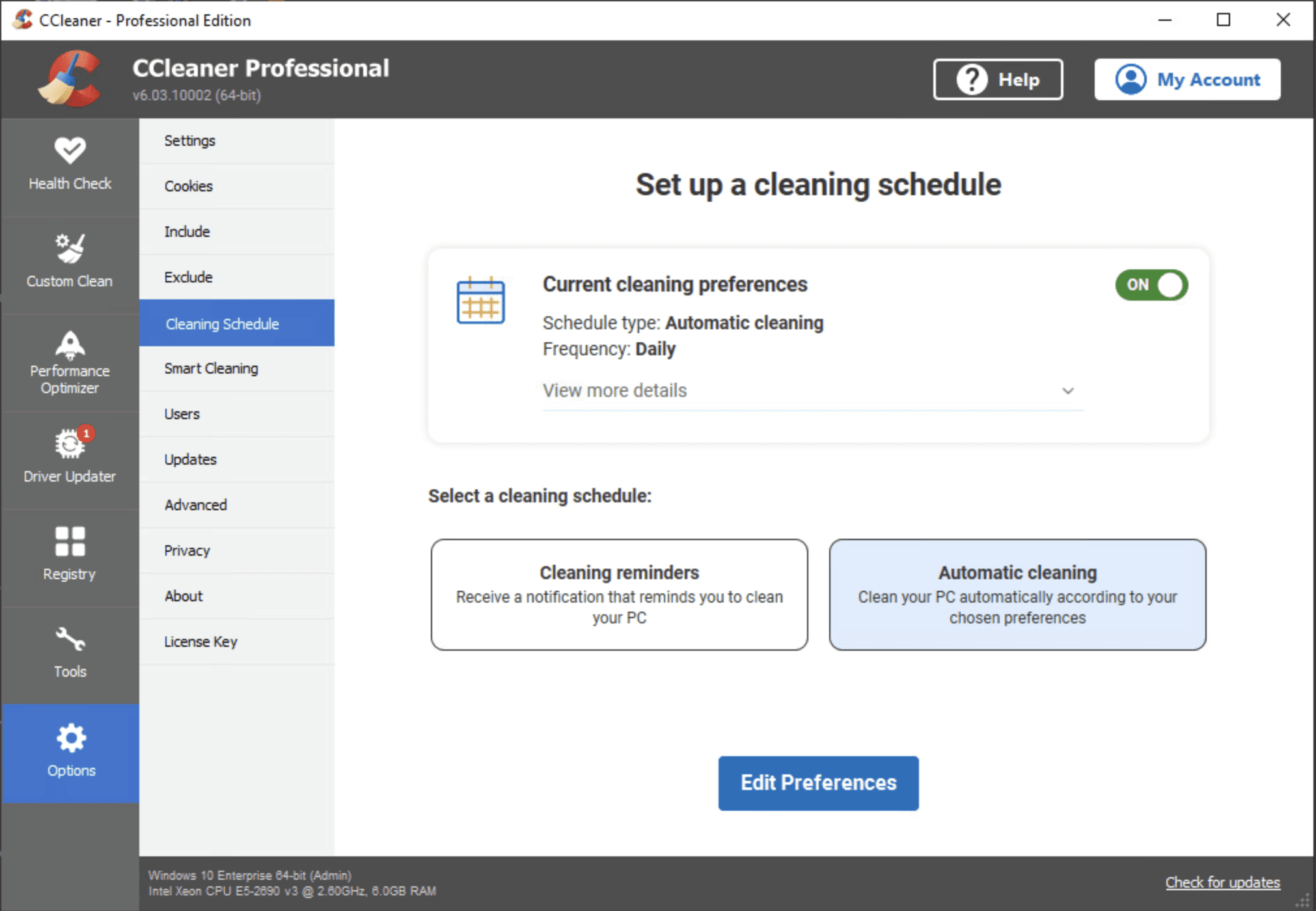
A 2nd scope change removed tier exclusivity, requiring both features to be discoverable across CCleaner’s customer segments.
I then remapped the user journey to ensure Free users could discover Automated Cleaning, while Paying users had the flexibility to choose between Automatic Cleaning and Cleaning Reminders when scheduling.
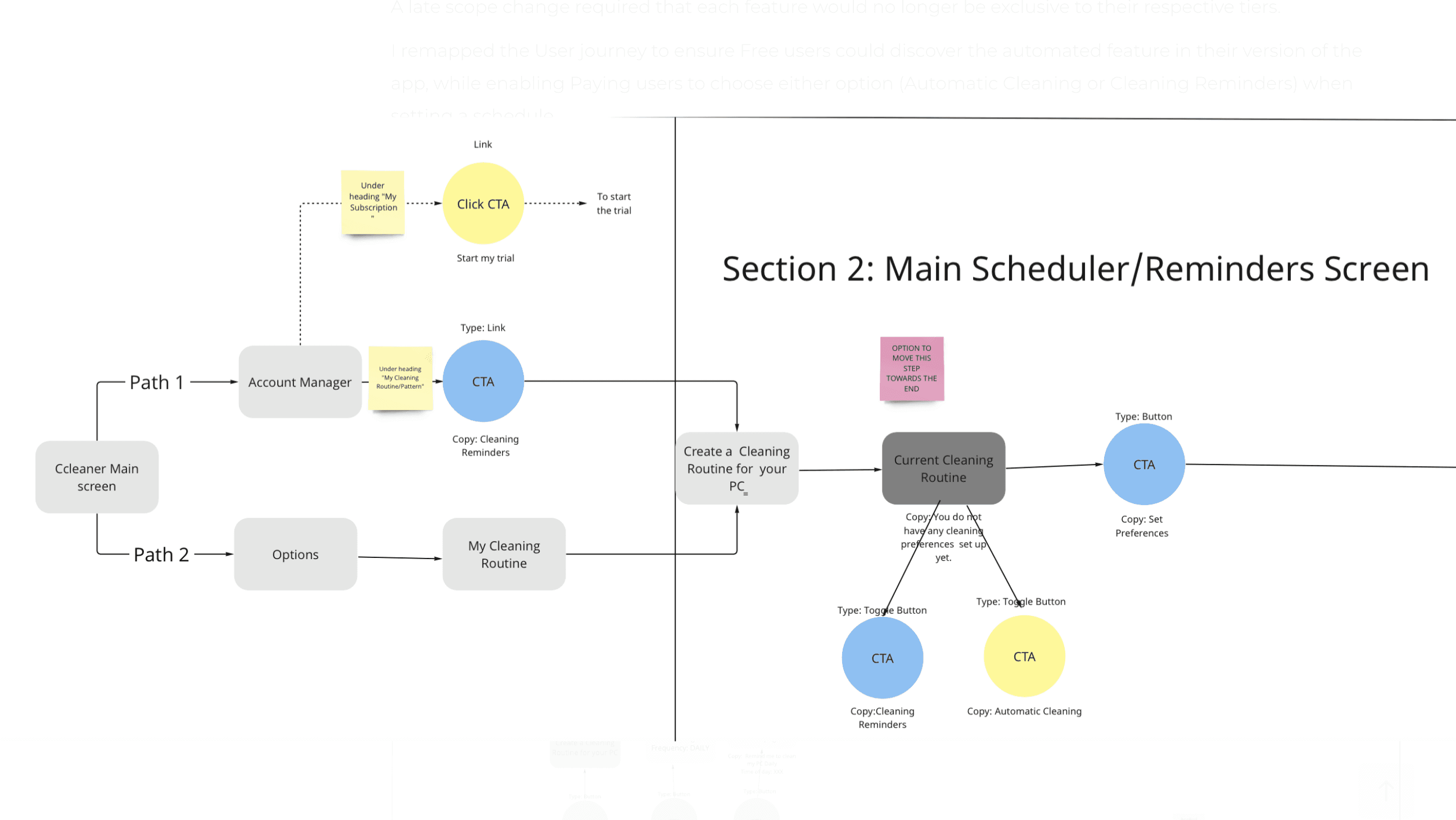
Both features were surfaced on the homepage, with Automatic Cleaning available to Free users through trial or upgrade to CC Professional.
Short, clear descriptions differentiated the two options, reducing confusion and enabling more informed decision-making (Recognition over recall).
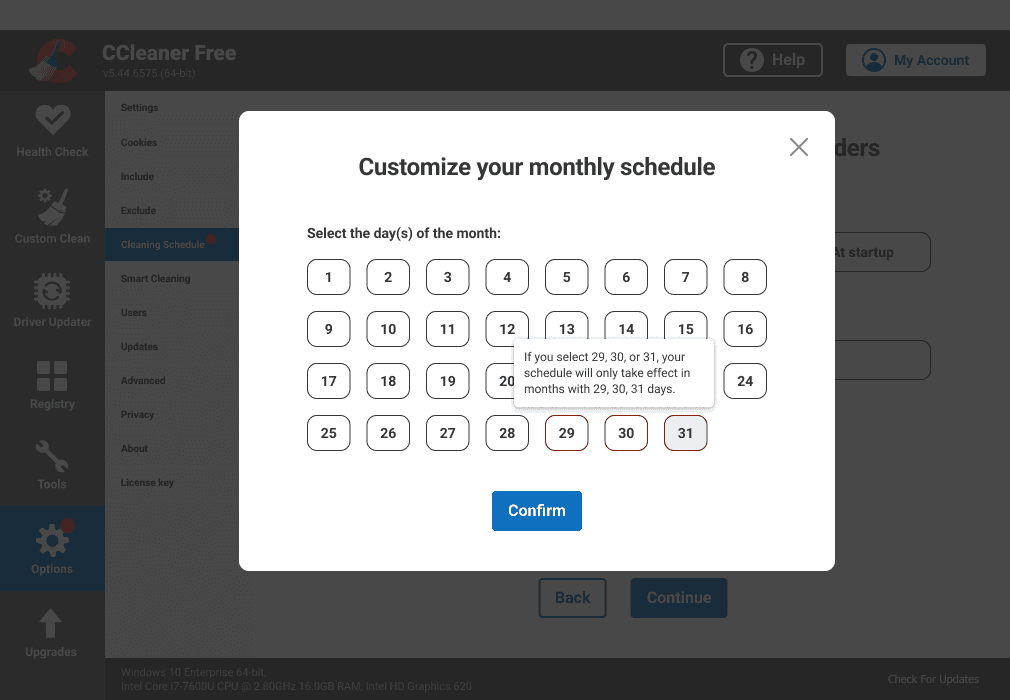
Added prompts to clarify that not all months include days 29, 30, or 31.
Previously, schedules set to “Monthly on Day 31” would silently fail in shorter months, leaving customers without feedback (Error prevention & feedback).
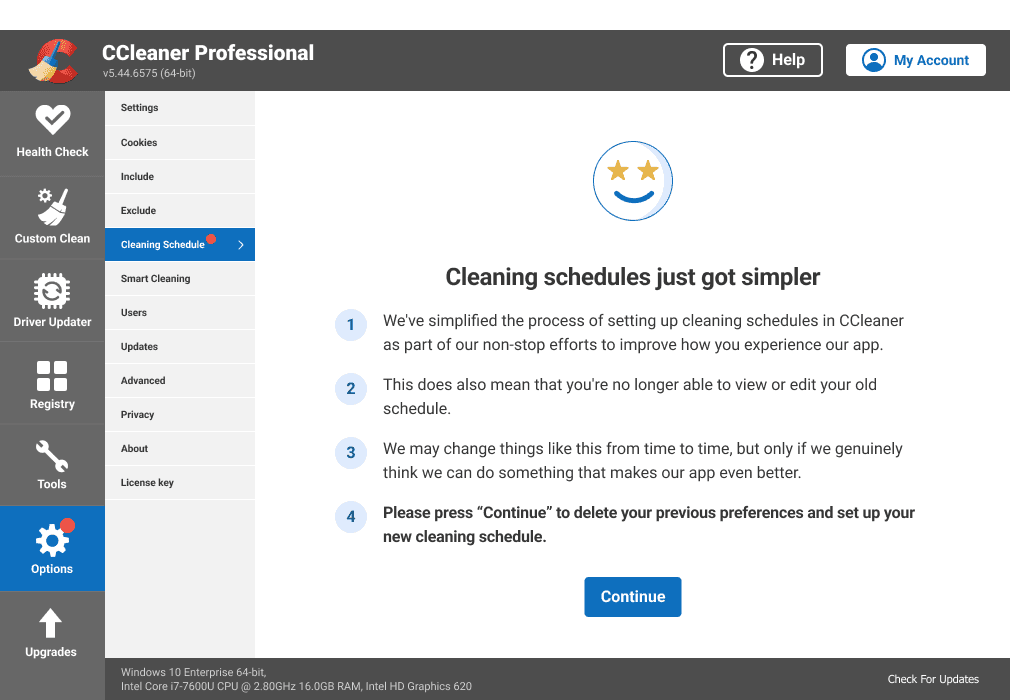
Legacy scheduling patterns
Although only 2% of CC Professional customers had legacy scheduling patterns incompatible with the new design, I prioritised managing their expectations to uphold a user-centric experience and minimise disruption.
Commercial Impact
Every design decision was evaluated not only for user value but also for its alignment with our business goal.
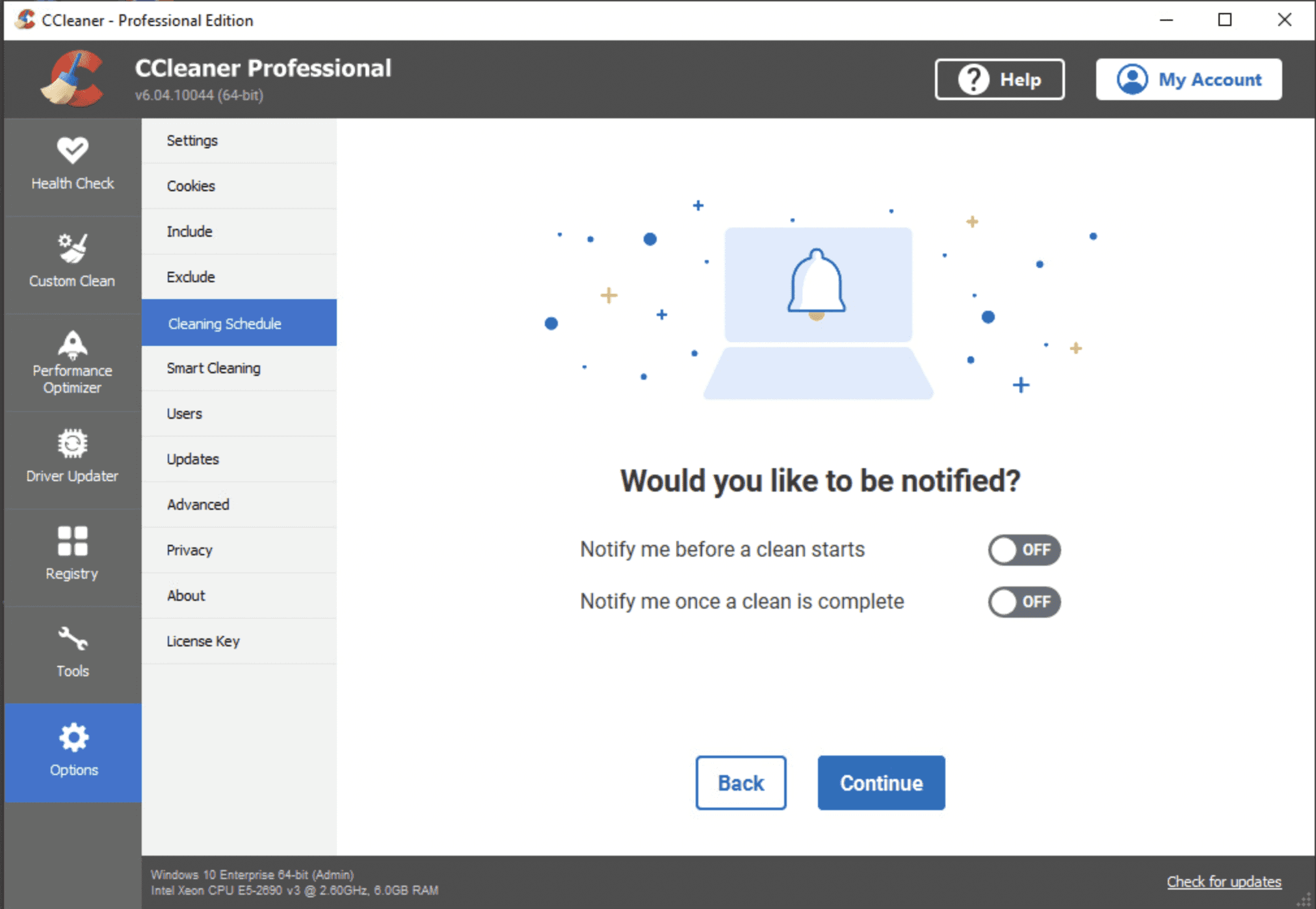
Introduced notifications to elevate Scheduler as a high-value engagement touchpoint (our business goal) while giving users control over frequency and relevance (User control & freedom)
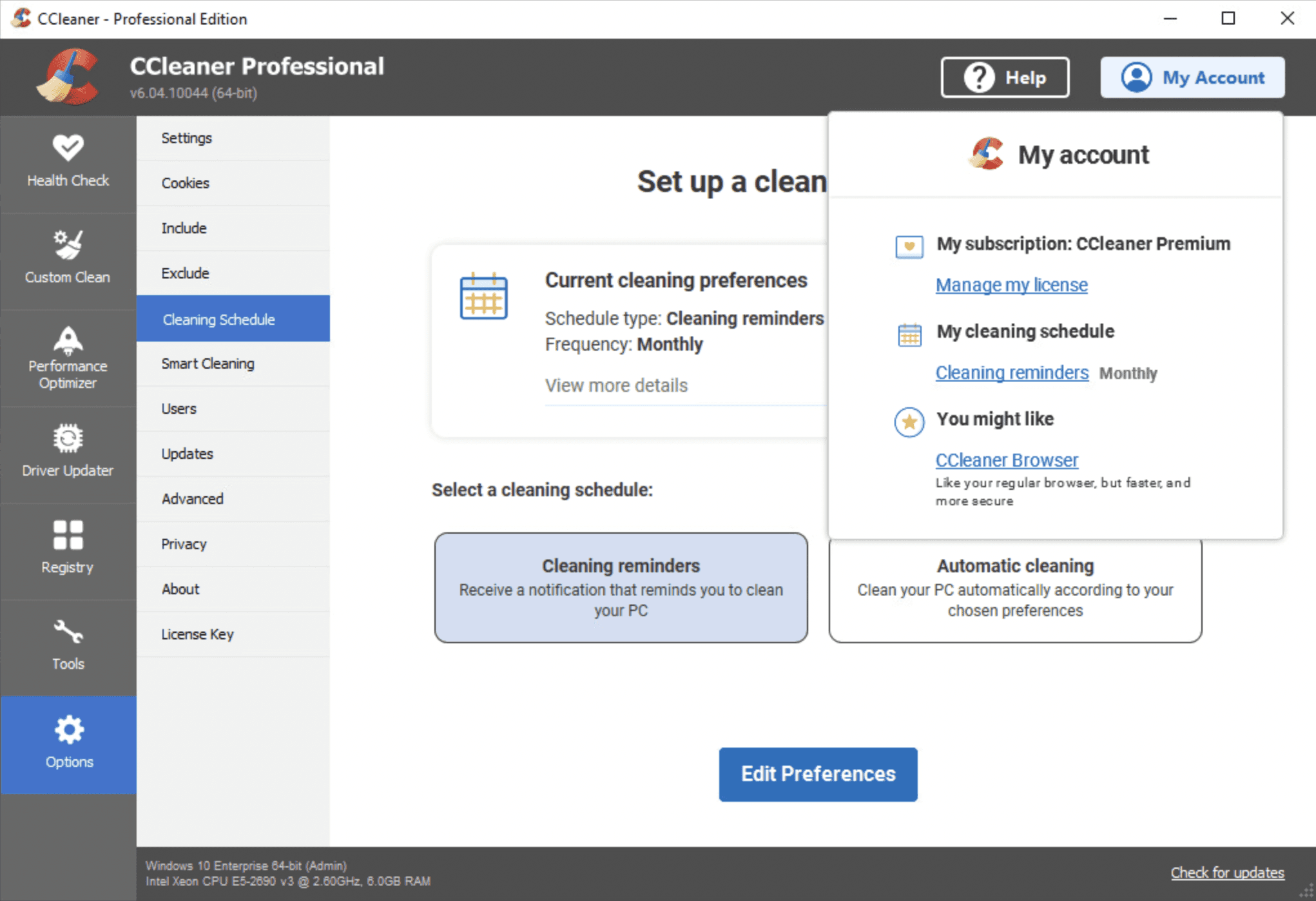
To boost feature visibility, I added a link in My Account. This was strategically informed by previous research where participants ranked “New features” as the 3rd most valuable item to see in this area.
Testing feedback (2nd round)
💡Streamlined flows and clearer labelling transformed the Scheduler into an intuitive, easy-to-use feature; validating the design refinements.
✅ Positives
• 90% could complete the steps needed to set up a cleaning schedule (in 1st round testing only 12% did so).
• Participants described flow as logical, intuitive, and easy to complete (in 1st round there was a lot of confusion around system feedback).
• Clear labelling and large buttons improved usability and speed.
• Simplified steps reduced confusion, creating a clean, user-friendly experience.
Accessibility
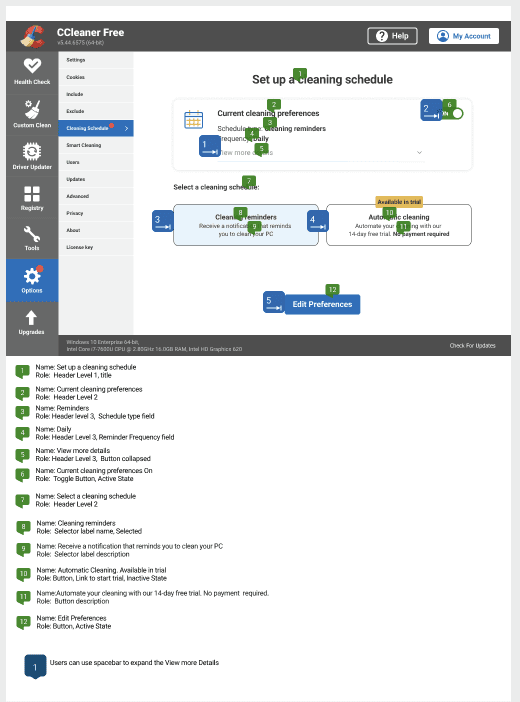
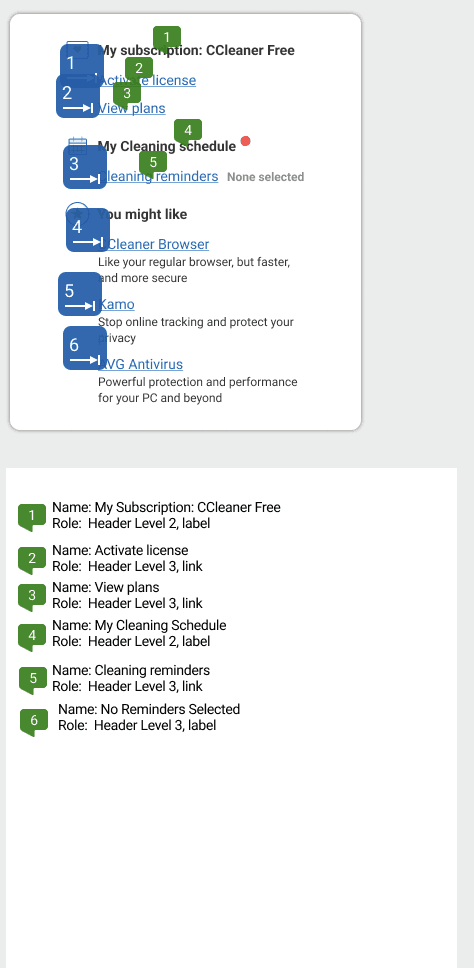
I annotated the Bluelines to ensure the final designs were fully accessible for screen reader and keyboard-only users.
Demo of the redesigned experience
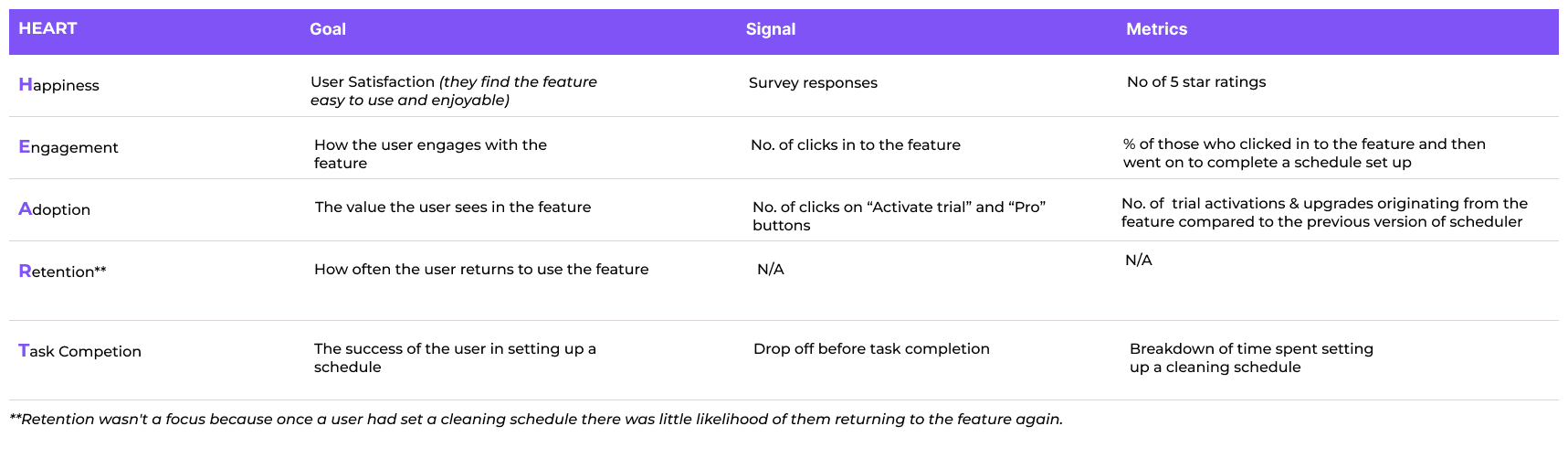
My initiative: HEART in Practice
I introduced the HEART framework to broaden success measures beyond business KPIs. By positioning it as a way for UX and Product to capture the value add to our customer, I secured strong buy-in across teams and this project was a successful pilot to put it into practice.
Reflection
This project was defined by major scope changes, highlighting the need for a holistic, integrated approach.
Key takeaways
🔑 Staying adaptable allowed me to leverage overlaps between the different features, maintain momentum, and deliver despite shifting scope.
🔑 Staying curious about the brief and constructively challenging business assumptions helped reframe the problem around user needs.
🔑 Prioritising user-centred metrics early ensured success was measured beyond business KPIs, capturing the true value of UX improvements.