
Cybersecurity
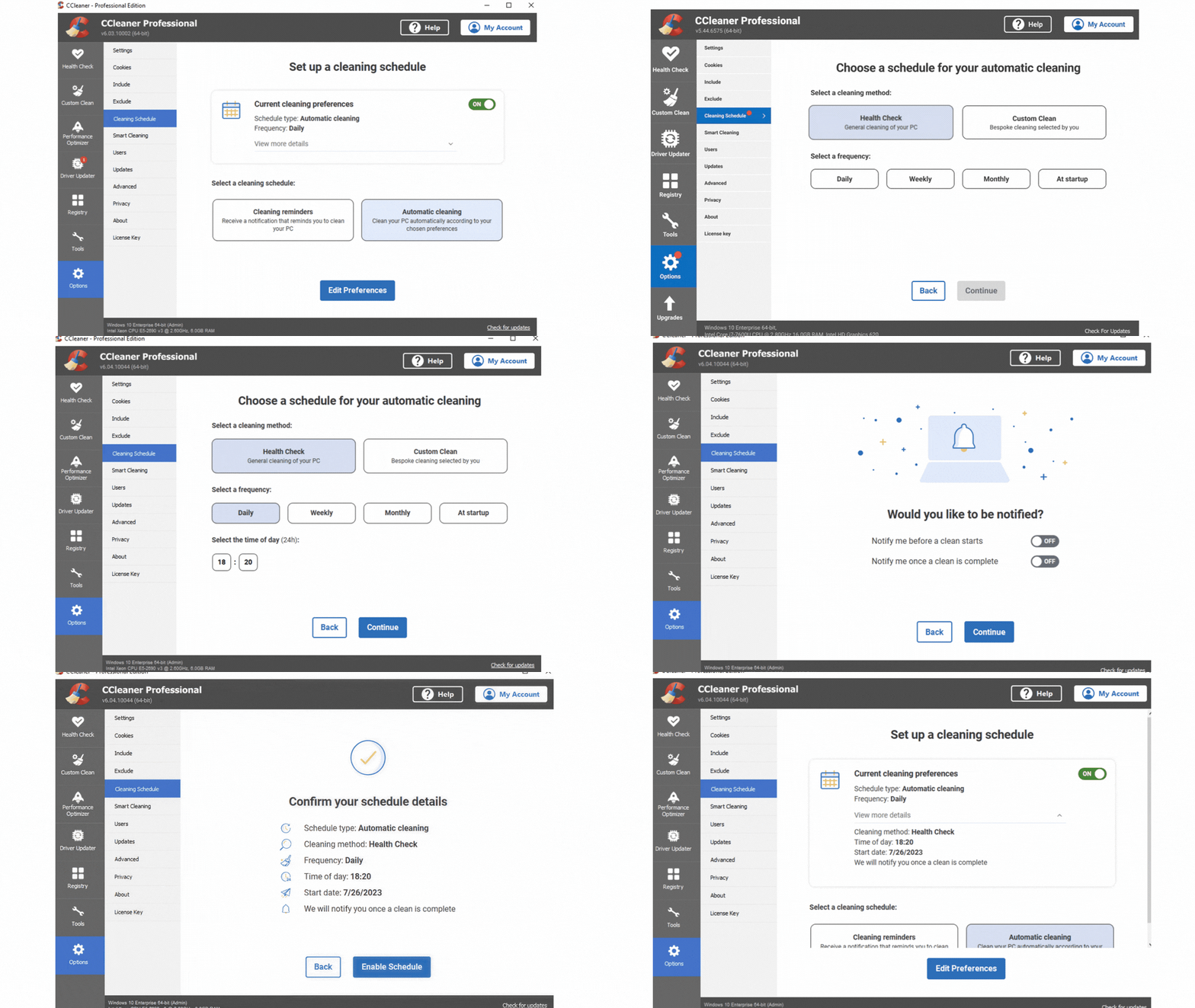
Redesigning Scheduler to Improve Adoption & Retention

Customer Problems
Low discoverability: User interviews showed customers wanted help 'keeping on top of their cleaning' and were surprised to learn the feature already existed.
Cognitive overload: Current scheduler offered too many choices, overwhelming users and slowing decision-making (Hick's Law).
Business Goals
Increase Sales opportunities: Position the Scheduler as a high-value engagement touchpoint to drive greater exposure and response to in-app sales messages (i.e. those who enabled a schedule was currently at 0.14%)
Increase conversions (Adoption) from the feature: this was currently at 0.05% of New Installs
Reduce 30-day churn: this was currently at 17.01%
Scope & Constraints
Original scope (Nov): Revamp existing design for paying customers only.
1st change (Apr): Expand to free customers with equivalent feature (Cleaning Reminders).
2nd change (Jun): Merge scope; paying customers now also get access to Cleaning Reminders, ensuring consistency across tiers.
Constraints related to
• Technical: limited flexibility within the existing software framework.
• Data: available data only allowed analysis down to schedule frequency.
• Legacy design: existing schedule patterns risked incompatibility with the new system.
Impact & Success Metrics
8 weeks post-launch
• Beyond the numbers, this project was a successful pilot for the Google HEART Framework which I introduced to the project team as an approach to balance business and user impact.
21%
39%
$5.77
The Process
Research under constraints
With limited time, I adopted a lean research approach, using usability testing to address critical questions and shape the Account Menu design direction
"What features would be the most useful for users to access from the Account Menu?"
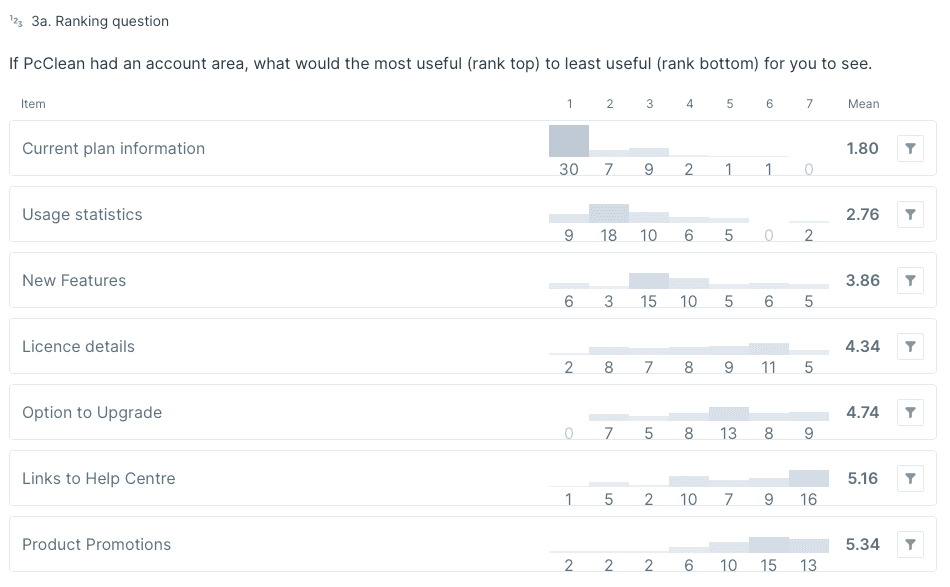
Over 50% felt current plan info would be the most useful.
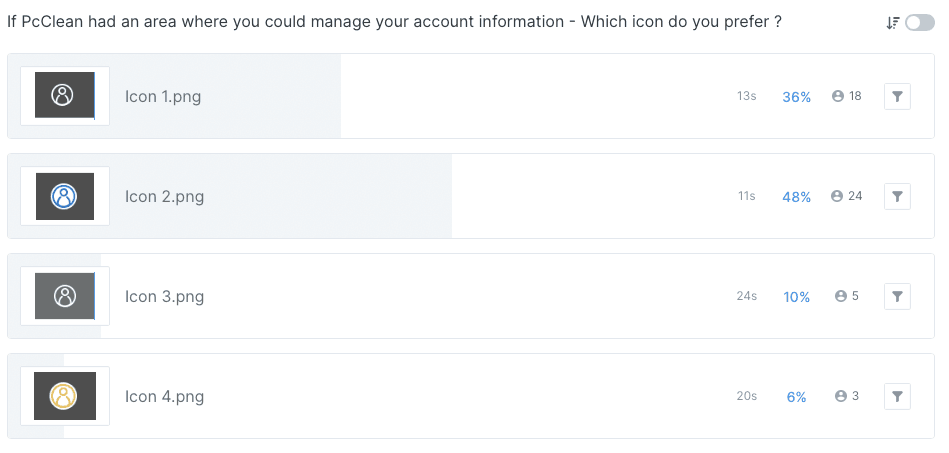
"What icon representation of Account Menu resonates most with users?"
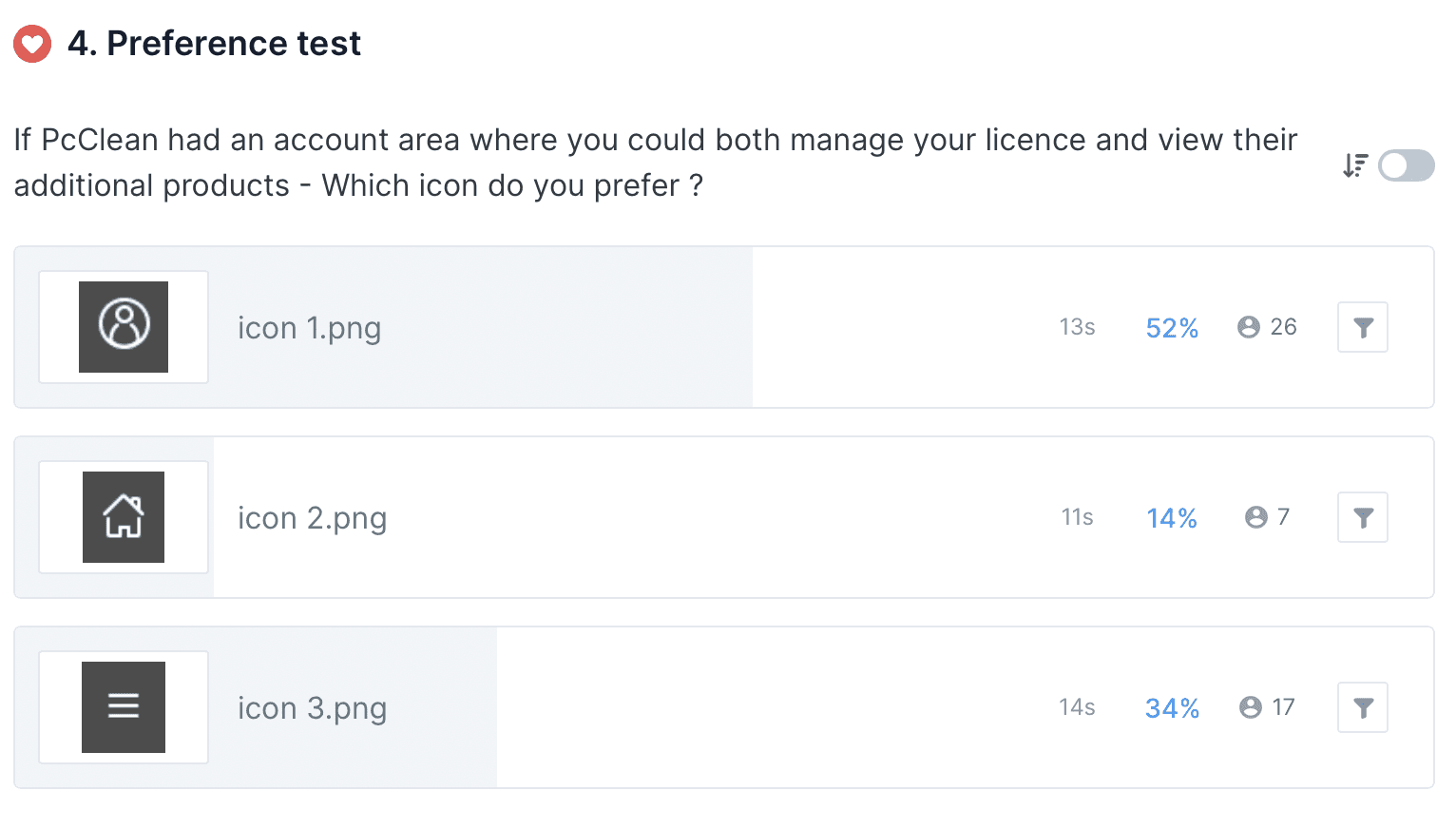
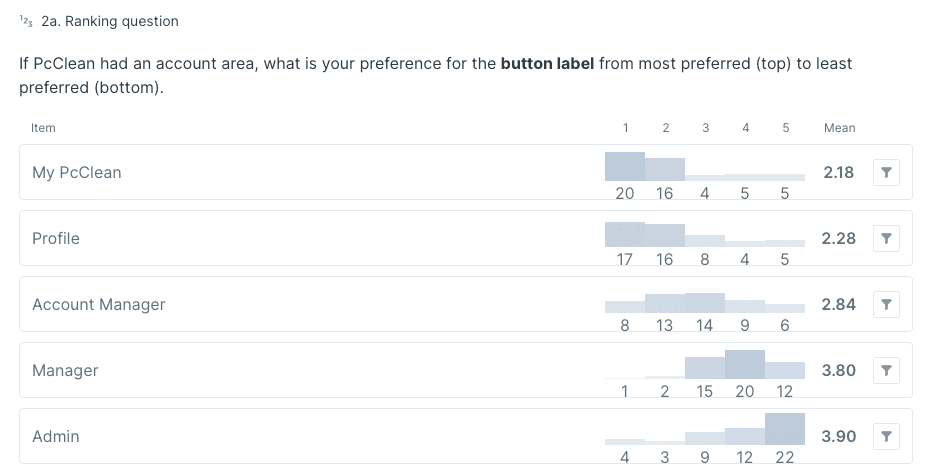
"What icon label would resonate most with users?"
Wireframes & Validation
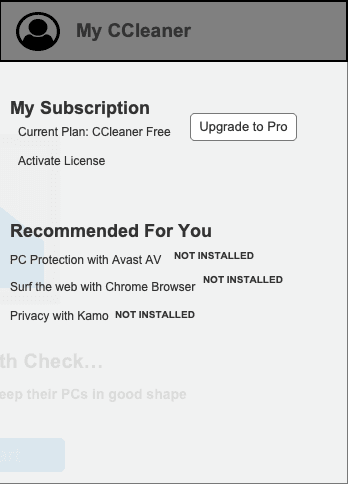
The first iteration was a basic outline of the menu.
🔍Insight
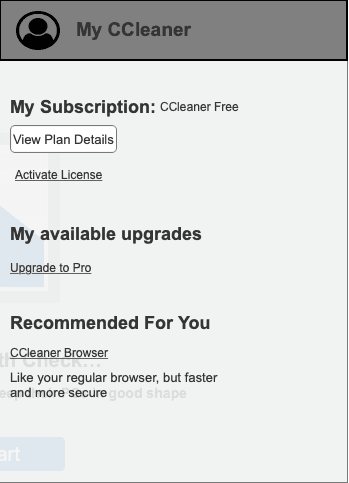
• Participants wanted to compare plans or at least see details of their current plans before making a choice
• The "Upgrade to Pro" label created friction by feeling too much like a commitment.
• Participants felt the cross-sell section dominated the screen space.
Accessibility
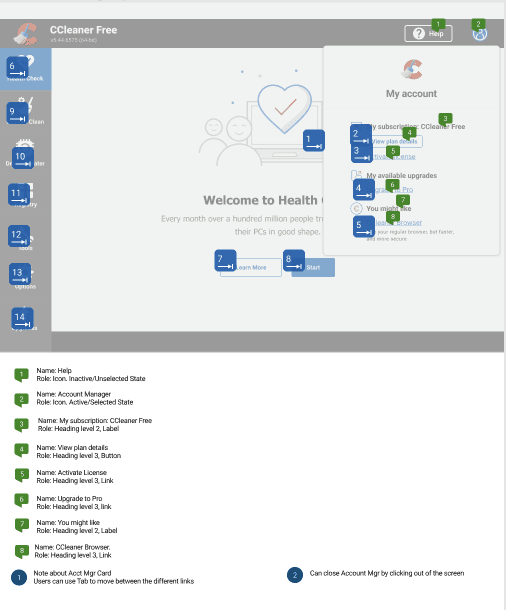
As I had never produced blueline annotations before, I took the initiative to upskill by researching best practices and applying them to my designs. The process not only ensured accessibility compliance but also sparked a deeper professional interest in inclusive design.
Reflection
The Account Menu carried the weight of solving both user and business challenges; an ambitious scope for one feature. License management proved far more complex than anticipated, warranting deeper exploration.
Key takeaways
🔑 Early research (no matter the scope) pays dividends in clarity and confidence